Production and editing software for YouTube Shorts — research, scripting, captions and rendering in one workflow, with you reviewing and approving every step.
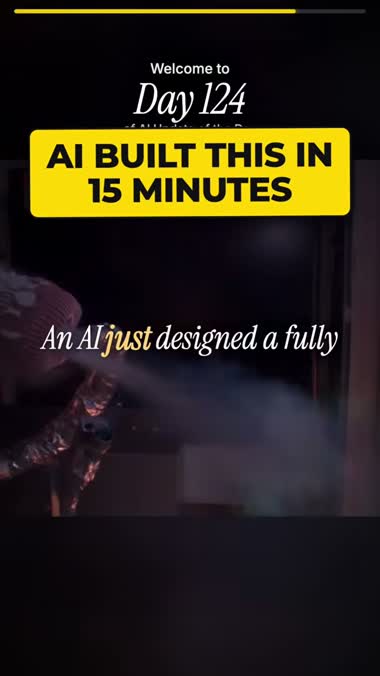
Real Shorts, start to finish — research, script, narration, visuals and captions. Tap any one to watch it with sound.
 Tap for sound
 Tap for sound
 Tap for sound
 Tap for sound
Five steps from idea to finished Short — most of it runs automatically in the background
Your dashboard fills every morning with trending stories across ten categories, each scored one to ten for viral potential so you can see at a glance what is worth making. Start from one, or add your own with a link.
Refreshed daily · ten categoriesMultiple published sources are searched in depth and distilled into the key facts, statistics, quotes and names — with every article link kept so you can check anything before it goes in the script. No copy-paste, no tab switching.
Around 45 secondsA complete script arrives split into scenes, with the emphasis words that become yellow captions and a visual plan for each beat. Pick Standard if you are recording it yourself, or Studio-safe to have the wording rewritten so it passes the moderation filters AI presenter studios apply. Every word is yours to edit.
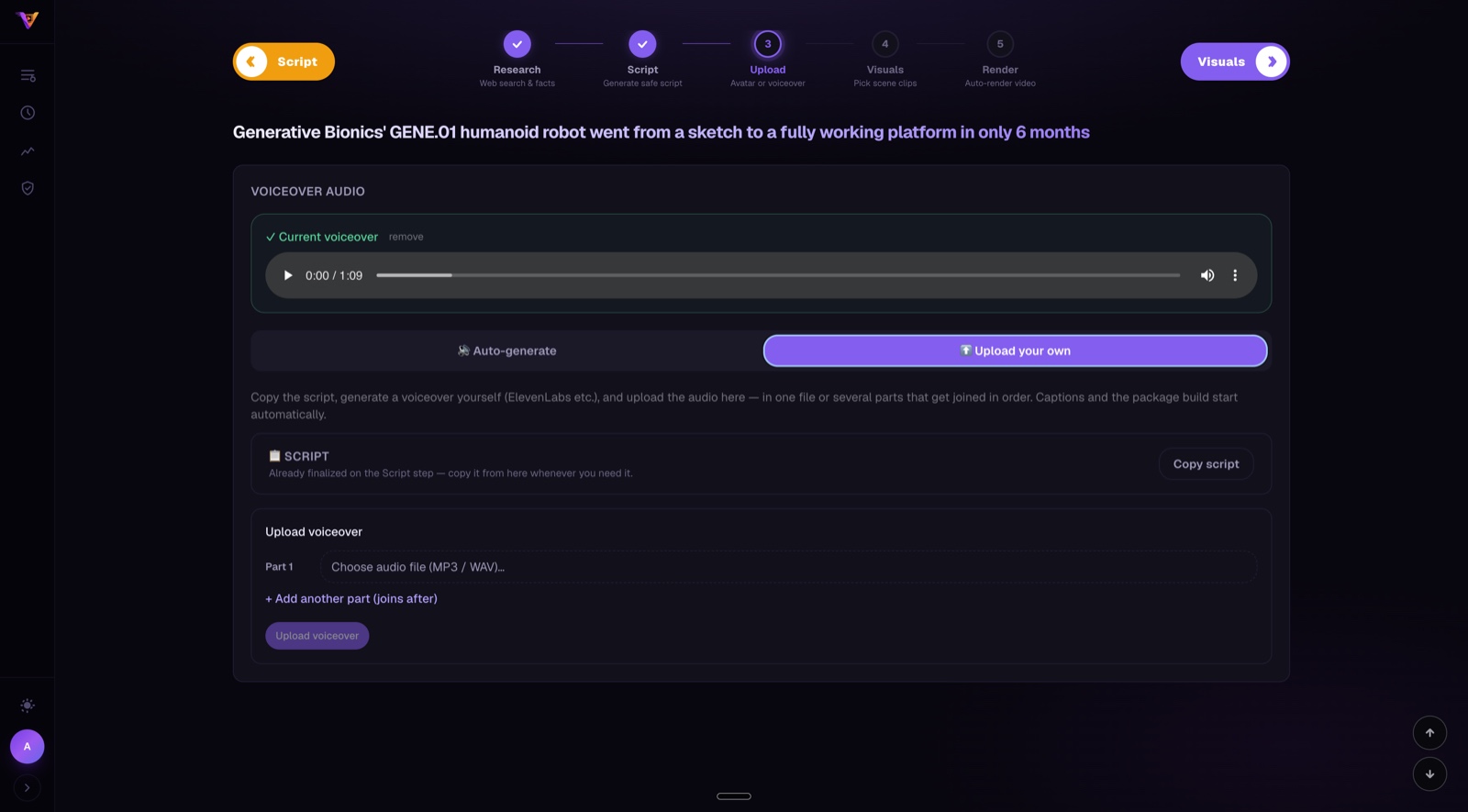
Two script styles · fully editableTwo ways, your choice per video. Generate the voiceover from the script using a licensed stock voice, or record it yourself and upload the audio. Either can be faceless — visuals over narration — or with a presenter on camera, filmed by you or produced in a studio of your choice. Captions are then aligned word by word to what was actually said, and the scenes retimed to the real recording.
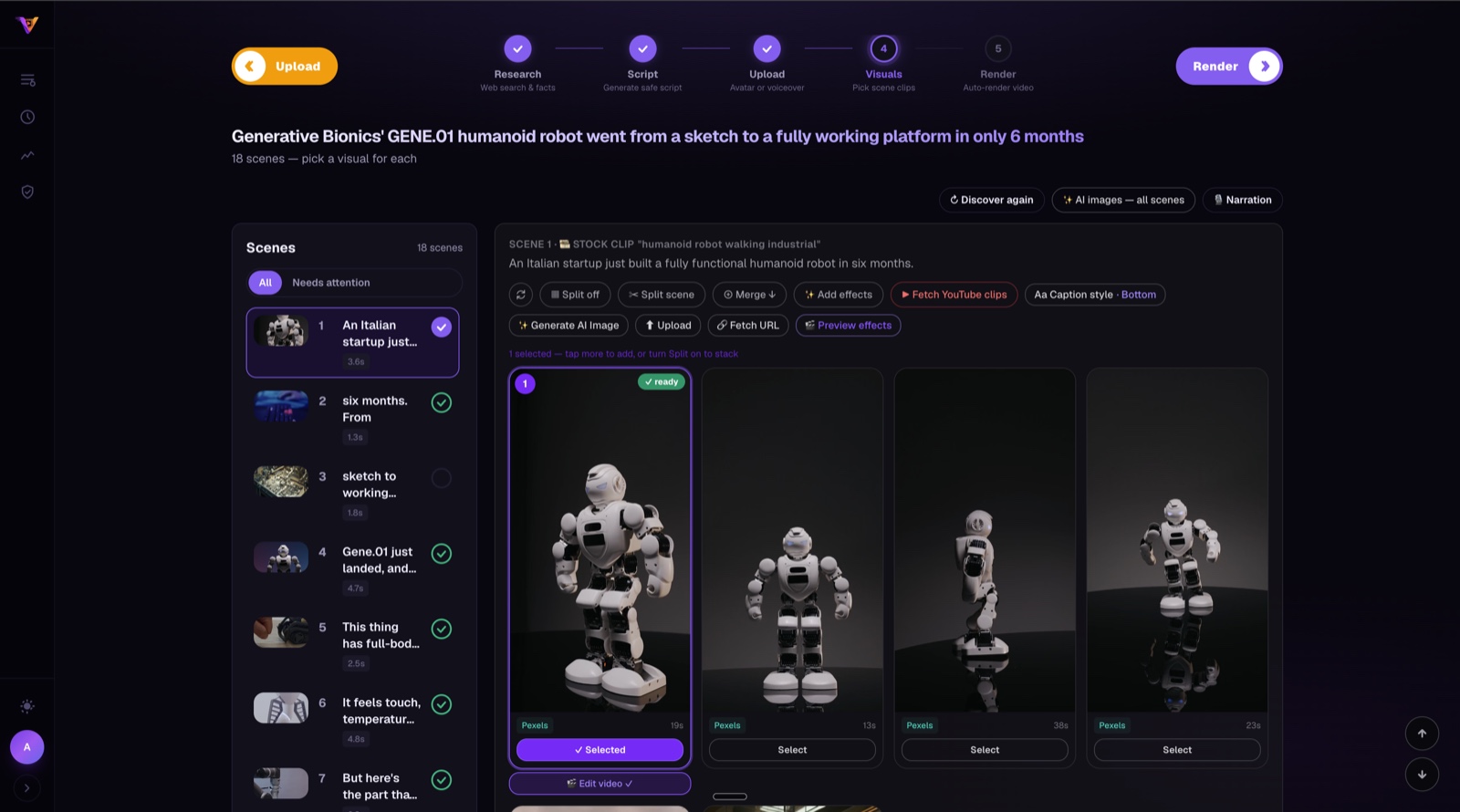
Voiceover or your own recording · English or UrduEvery scene comes with footage options to keep, swap or stack. Add per-scene effects, background music, sound effects and your caption style, then render — the finished vertical video is assembled with animated word-level captions and ready to download in minutes. Prefer to finish it in your own editor? Export the whole project as a package instead.
Finished MP4 · or export to your editorEach one has its own topic sources and its own scripting style — a history Short is not written like a tutorial
Launches, funding, model releases — the fast-moving stuff
Step-by-step walkthroughs of a tool or workflow
One concept, made clear in sixty seconds
Breaches, exploits and how to stay safe
Events and turning points, told as a story
Figures, places and moments from Islamic history
Missions, discoveries and what is out there
Research and findings, in plain language
Tools and open-source projects worth knowing
Short, surprising, highly shareable
VidEmber is production and editing software. It helps you organise research, draft and edit a script, time captions to a recording you supply, find stock footage, and assemble the finished MP4. A person makes every creative decision.
The presenter footage in your video is yours: either recorded by you on camera, or created by you in a separate third-party presenter studio under that provider's own identity and consent controls. VidEmber receives it as a finished upload — it never creates it. Narration voices, where used, are licensed stock voices from established speech providers; VidEmber offers no voice cloning.
Every component of the pipeline built to save time and eliminate manual work
Trending stories pulled together every morning from news sites, aggregators and community boards, each scored one to ten for viral potential with a one-line reason. Add your own topic with a link in seconds.
Multiple published sources searched in depth, then distilled into key facts, statistics with their context, direct quotes and named entities — every source link kept so you can verify a claim before it reaches the script.
A full script split into scenes, with emphasis words and a visual plan for each. Choose Standard for your own recording, or Studio-safe to have the wording rewritten past AI-studio moderation filters. You see exactly what changed, and every word stays editable.
Turn the script into narration with a licensed stock voice — several providers and voices to pick from — or record it yourself and upload the audio in one file or several parts joined in order.
Put yourself on camera, or let the visuals carry the video with narration over the top. Set a default and override it per video; both paths use the same captions, effects and rendering.
Full Urdu narration with Roman-Urdu captions, alongside English — including caption typefaces chosen for each script so Urdu sets as cleanly as Latin.
Every scene gets footage options from licensed stock libraries, plus highlighted screenshots of the source articles. Keep the suggestion, swap it, stack several, or generate an image for the scene. Auto-selects in hands-off mode.
Captions aligned word by word to the narration that was actually recorded, with the script's emphasis words picked out in yellow. Scene timings are corrected to the real audio, never to an estimate.
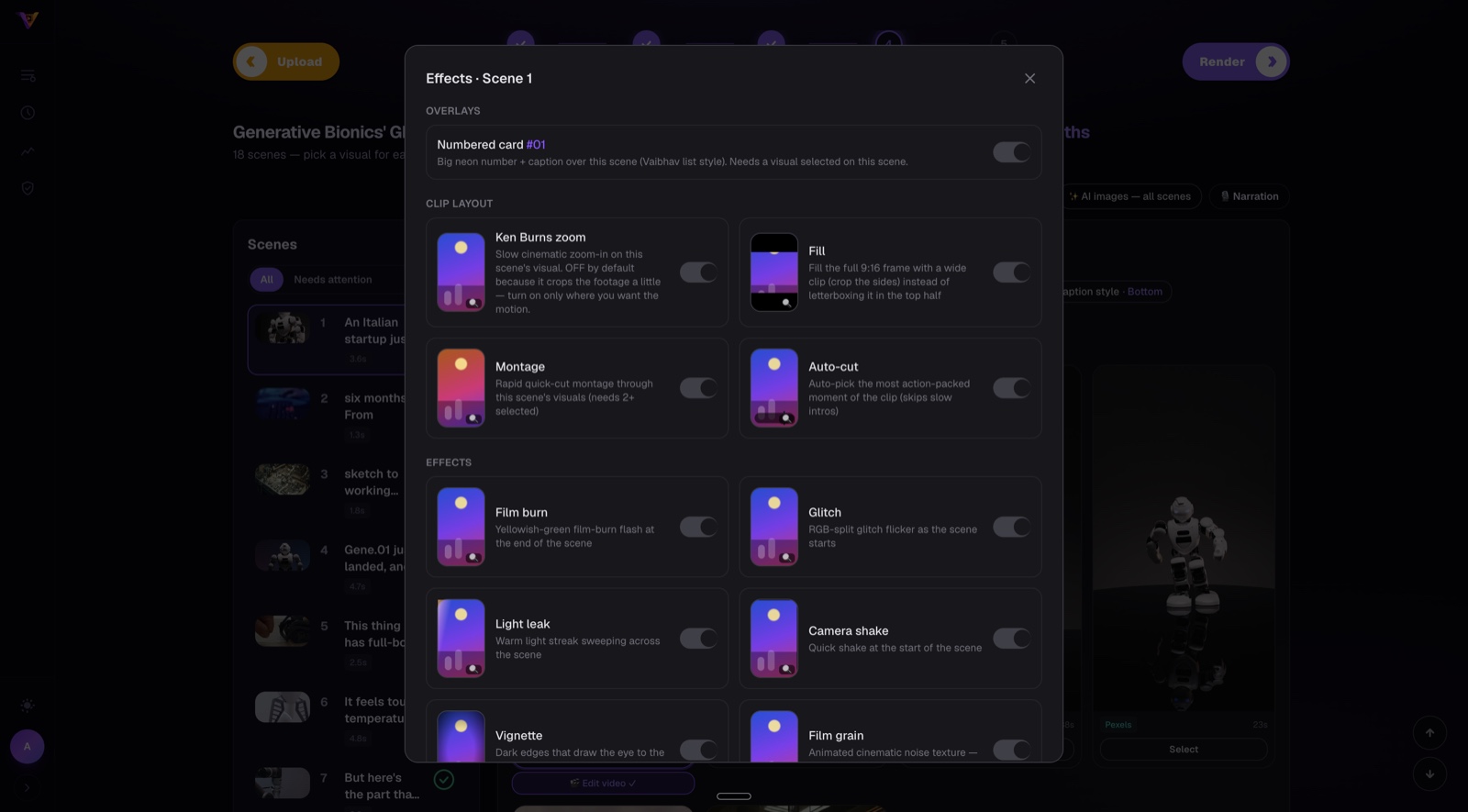
Ken Burns zoom, quick-cut montage, auto-cut to the liveliest moment, glitch, light leak, camera shake, film burn, vignette and film grain — switched on scene by scene, not blanket-applied.
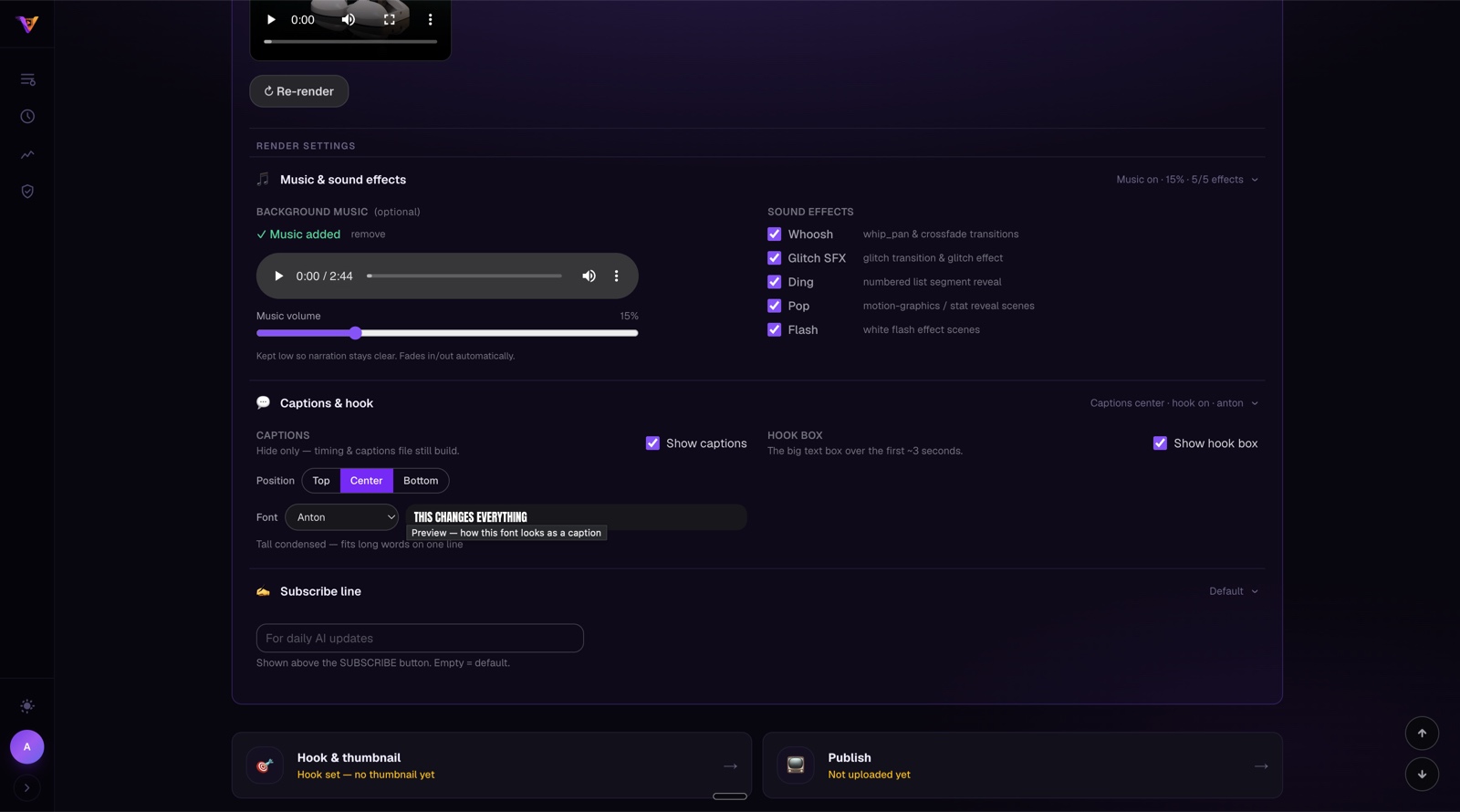
Background music with its own level, transition and reveal sound effects you can toggle individually, caption position, a hook box over the opening seconds, and a caption typeface picked per category or per video.
Hand the whole thing over: topic to research to script to narration to visuals to a finished render, with the pipeline advancing itself and telling you only when something needs you.
Published videos are scored on how they actually performed — whether the opening held viewers, how far they watched — so the next script is informed by what worked rather than guesswork.
The full pipeline — from topics dashboard to finished render — all in one place
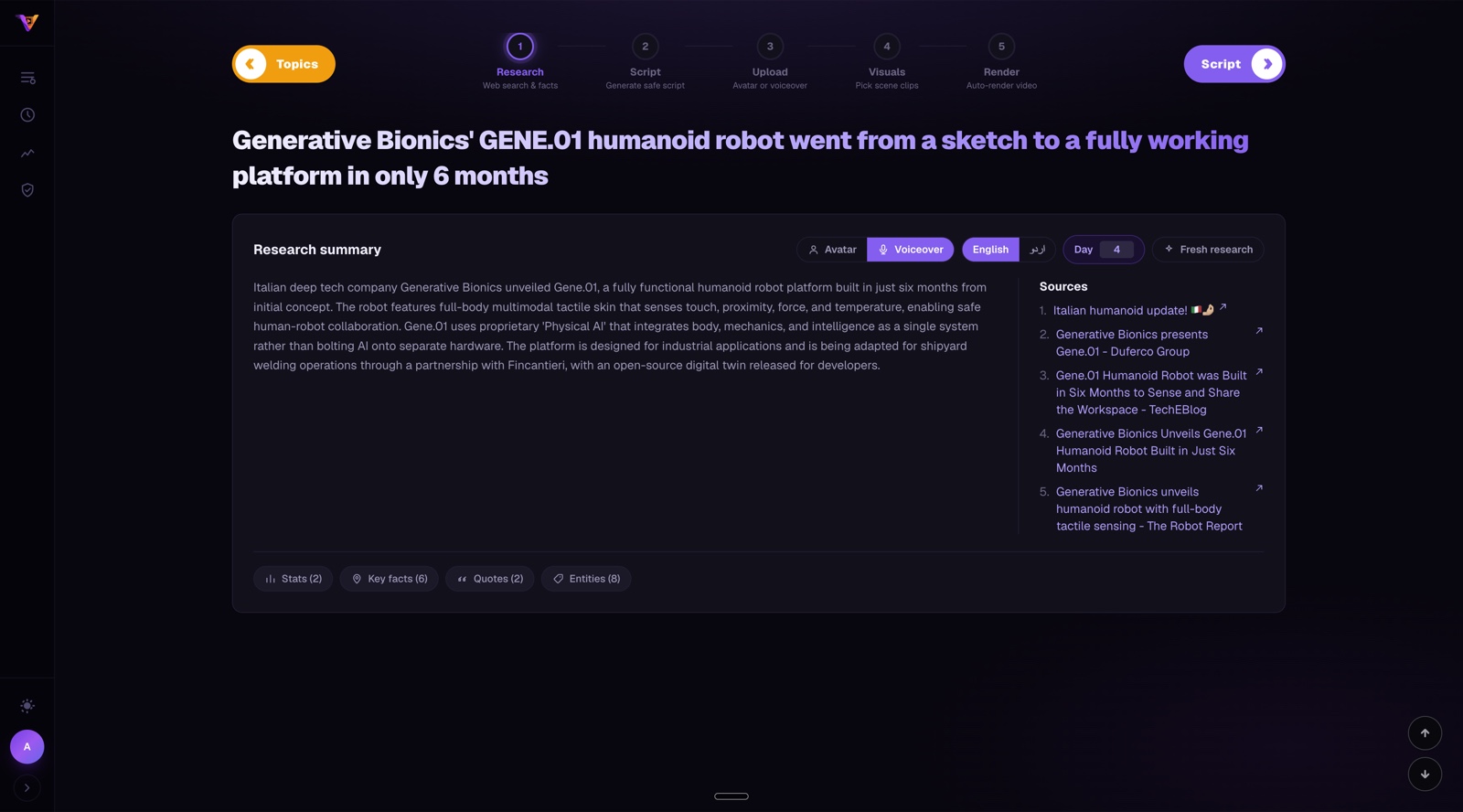
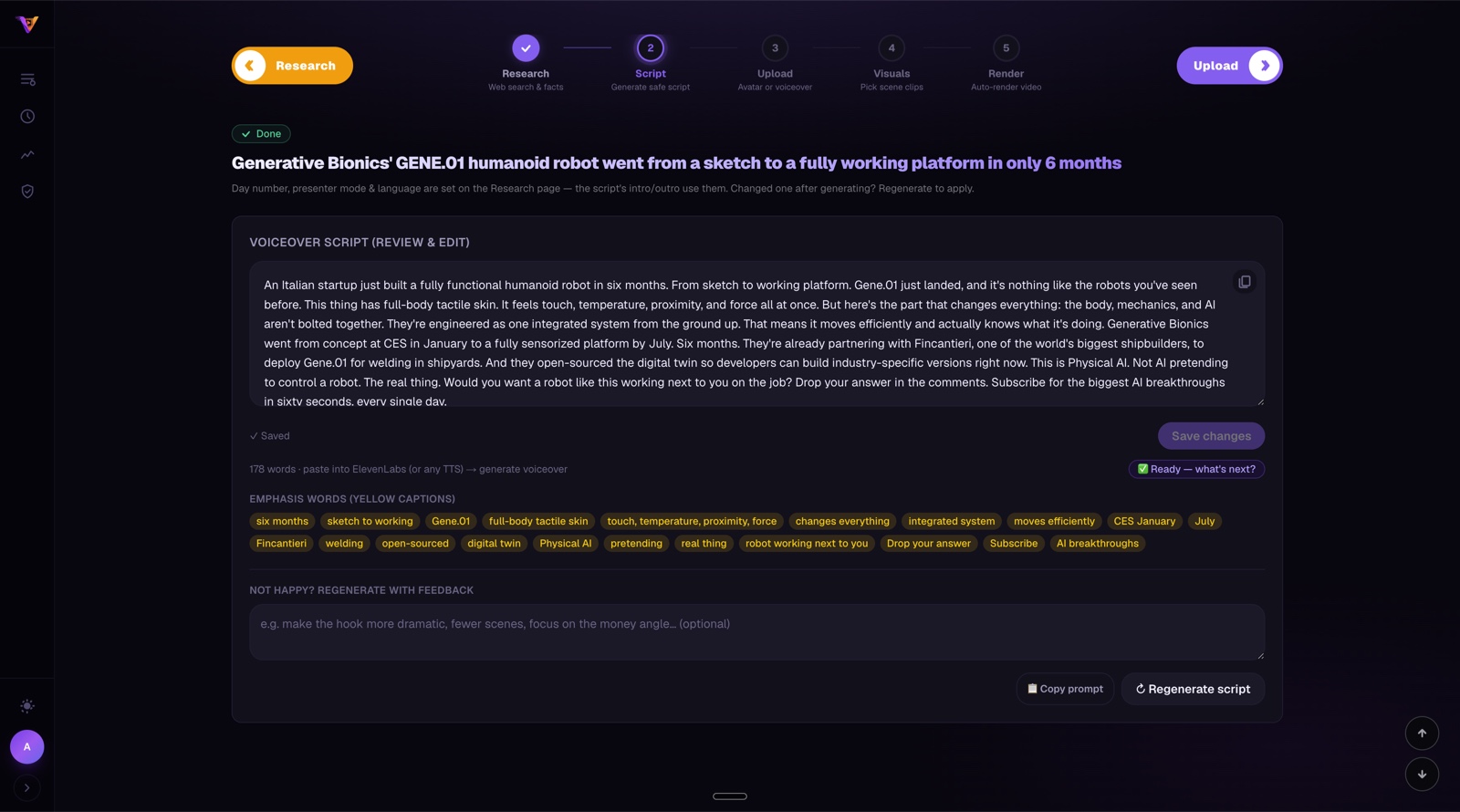
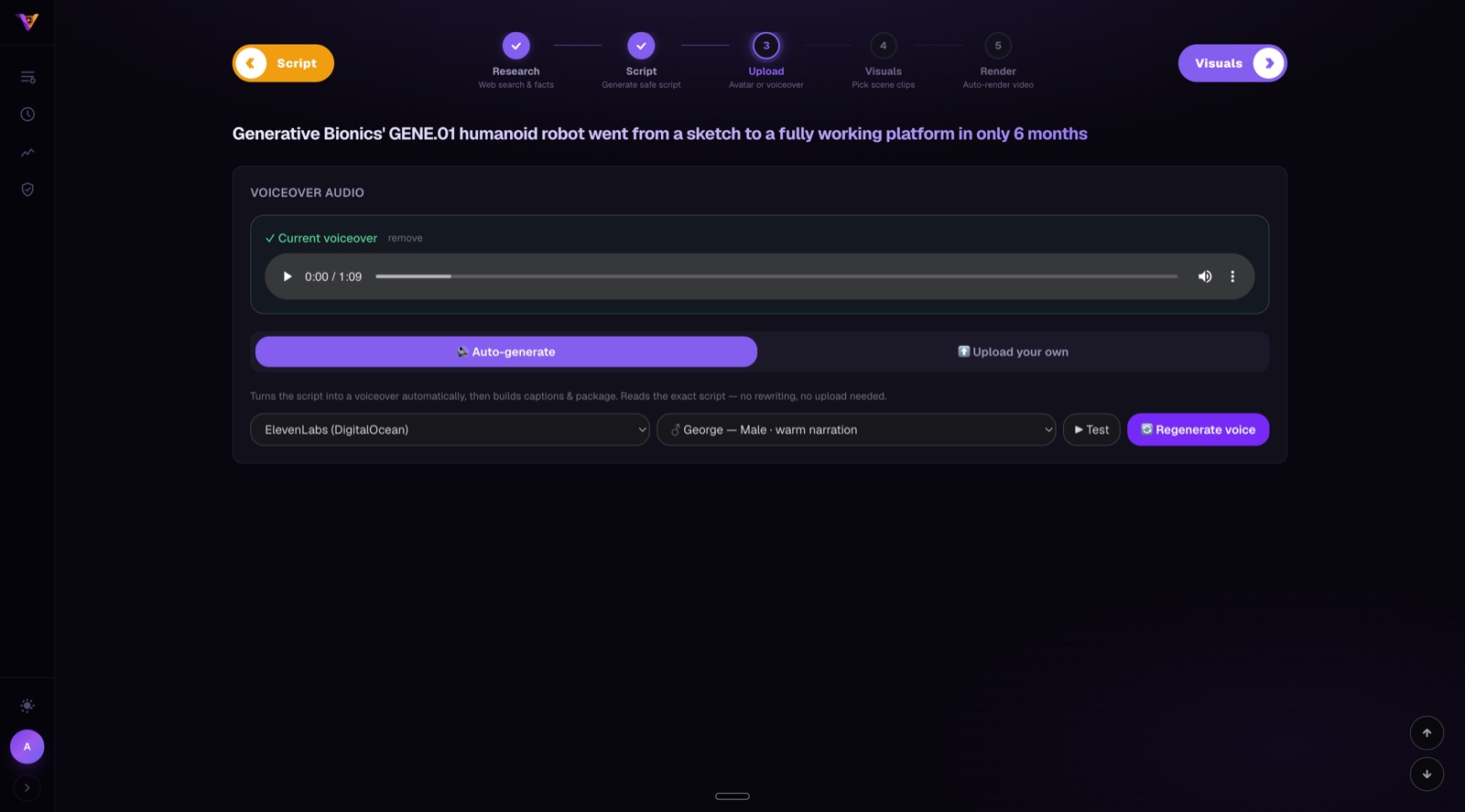
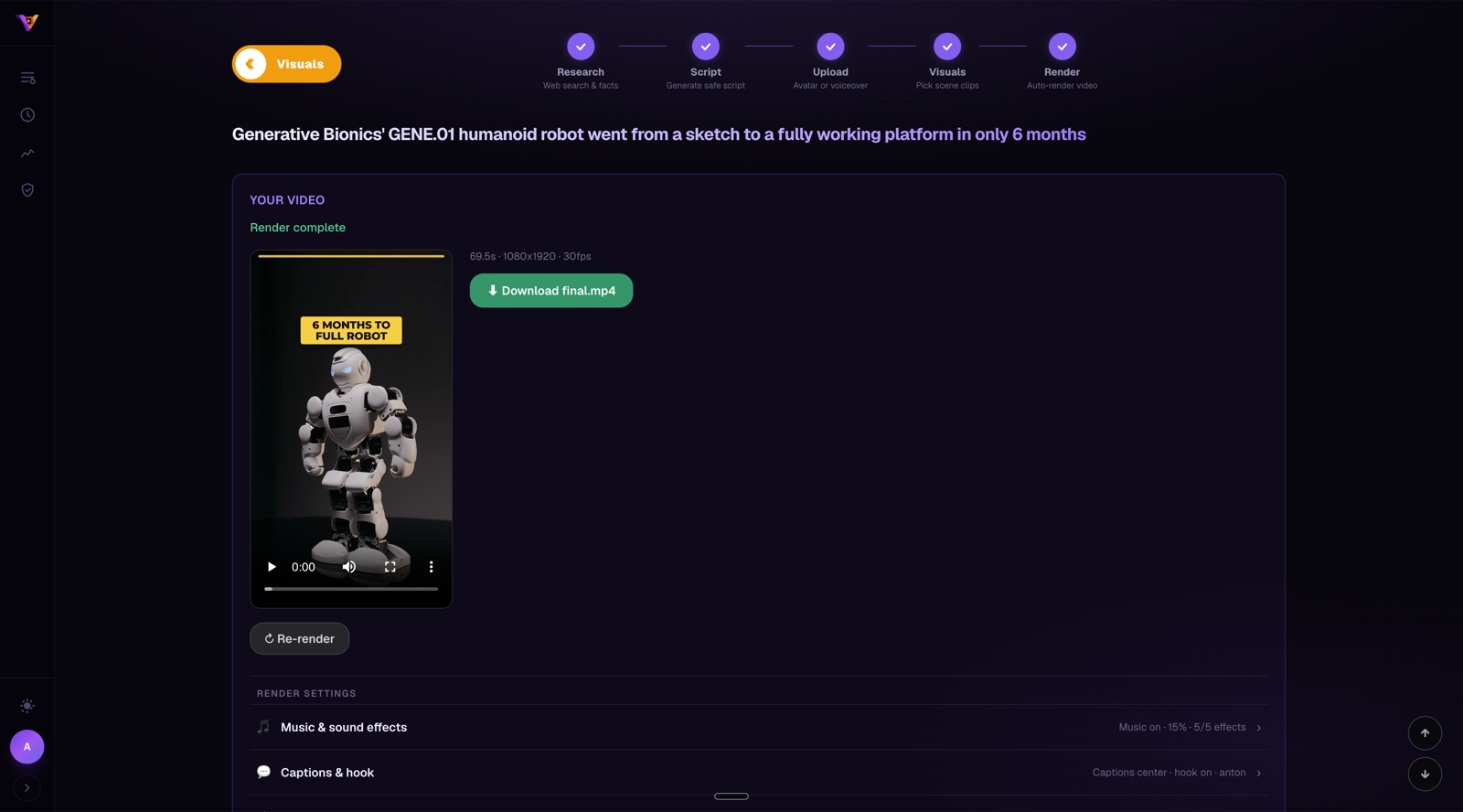
What used to take an entire day now takes under 20 minutes
Common questions about VidEmber
What is built, what is coming next, and what is planned
Credits power every step — research, script, voiceover, captions and rendering. Start free, upgrade when you’re ready.
Need more mid-month? One-time credit top-ups are available inside the app — Starter (1,000 / $10), Growth (2,000 / $20), Pro (5,000 / $50). Payments securely handled by Paddle. Cancel anytime — keep access until period end.
Questions, feedback, or want to collaborate? Reach out directly.
 VidEmber